Spectra Pro ⭐⭐⭐⭐⭐
Spectra Review 2026
Spectra Page Builder is a beginner-friendly, SEO-optimized, and performance-focused plugin for your WordPress default editor. The plugin now has more than 1+ million active installations and 1.5k+ 5-star reviews. Get a Full-featured page builder to create a super-fast and truly amazing website.
Are you looking for a detailed in-depth Spectra Page Builder Review in 2026?
If yes, then you landed on the right web page. I am using Spectra Pro on one of my blogs and will write the Spectra review based on my own experience.
No one uses the default WordPress Gutenberg editor on their websites, as it doesn’t have everything you need to create the best website.
So, In this detailed spectra review, I will show you:
- How to Install Spectra
- Spectra Features
- Spectra Free vs Pro
- Pricing and Plans
- Pros & Cons
- And lots more.
At the end of my Spectra review, you will learn why it is one of the best page-builder plugins in the market.
Spectra Review 2026: Features, Pros & Cons, Pricing Guide
| Feature | Description |
| 📦 Product | No! 14 days money-back policy for paid plans |
| ✅ Type | WordPress Gutenberg Blocks plugin |
| 👍 Rating | 5 out of 5 ⭐⭐⭐⭐⭐ |
| 📖 Features | Fast loading, Lightweight, SEO-Friendly, responsive, 30+ blocks, etc. |
| 💰 Pricing | Free! Paid plans start from $49/year to a $699 one-time fee |
| ✂️ Discount | Flat 30% discount on all plans using my link |
| ⏰ Free Trial | No! 14 days a money-back policy for paid plans |
| 🆚 Alternatives | GenerateBlocks & Kadence Blocks |
| 🔗 Website | WPSpectra.com |
The Spectra page builder plugin comes from the renowned web developer Brainstorm Force, which offers the popular Astra theme and many other plugins.
Spectra Page Builder is a beginner-friendly, SEO-optimized, and performance-focused plugin for your WordPress default editor. It has more than 1+ million active installations and 1.2k+ 5-star reviews.
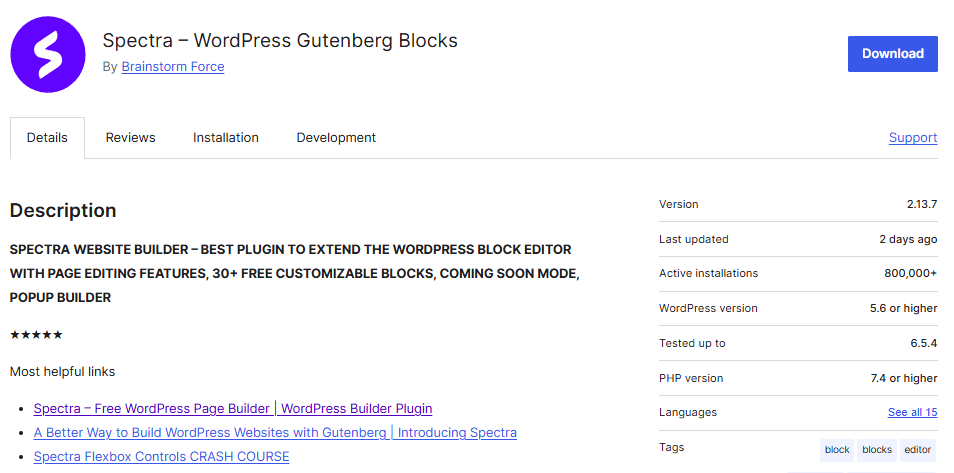
Previously, it was known as the Ultimate Addon for Gutenberg plugin, which extends the functionality of the Gutenberg block editor.
Gutenberg was the default WordPress editor introduced in WordPress 5.0. Its purpose was to make content creation more flexible and visual through blocks.
Now, it is known as the WPSpectra page builder plugin.

The Spectra Page Builder plugin adds a variety of new and powerful blocks to the Gutenberg editor, providing users with additional elements and customization options.
These blocks include advanced heading options, post grids, testimonials, call-to-action buttons, social share icons, and more to make your website attractive.
This plugin aims to enhance the capabilities of the Gutenberg editor, allowing users to create more sophisticated and feature-rich content layouts without resorting to custom coding or third-party page builders.
It’s handy for those who prefer to work within the Gutenberg editor and want additional design and layout options beyond the default blocks.
Which Theme Supports Spectra?
Spectra is a powerful page builder plugin that supports all WordPress themes. However, here are the best themes that work well with Spectra:
Astra is the best theme if you use Spectra as both come from the same company.
Also Read: 12+ Best Kadence Theme Examples (WordPress Blogs & Websites)
Spectra Key Features
In this section of our detailed Spectra Review, I will mention all the key features of the Spectra plugin, including free and pro versions.
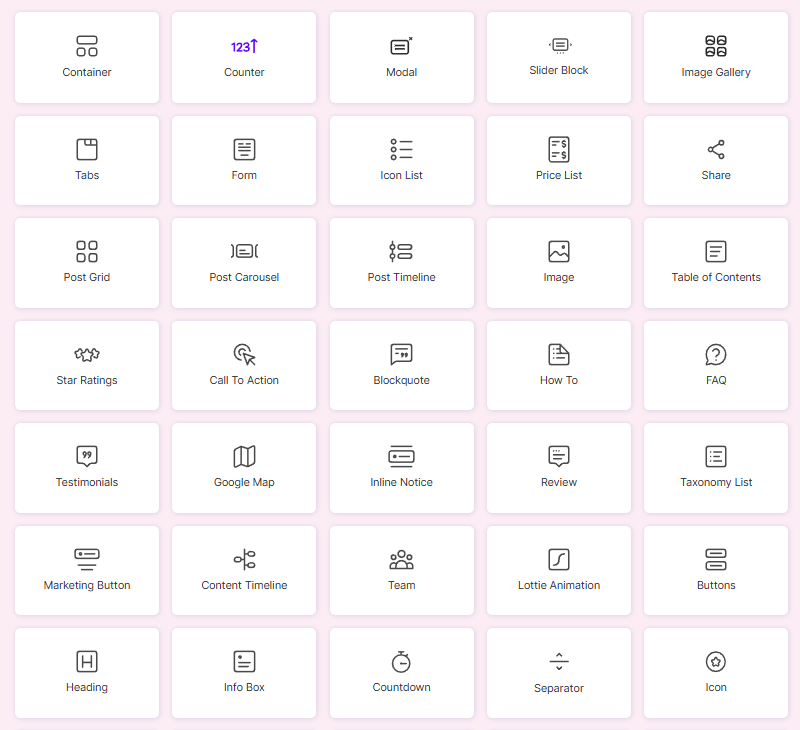
Spectra is a freemium WordPress plugin that works really well in any WordPress theme and gives you the best customization for your website.
The free version is limited but the pro version comes with more useful features that help you to customize any part of your website.
Spectra Free Features
You will get many features in the free version after installing the free plugin from the WordPress dashboard.
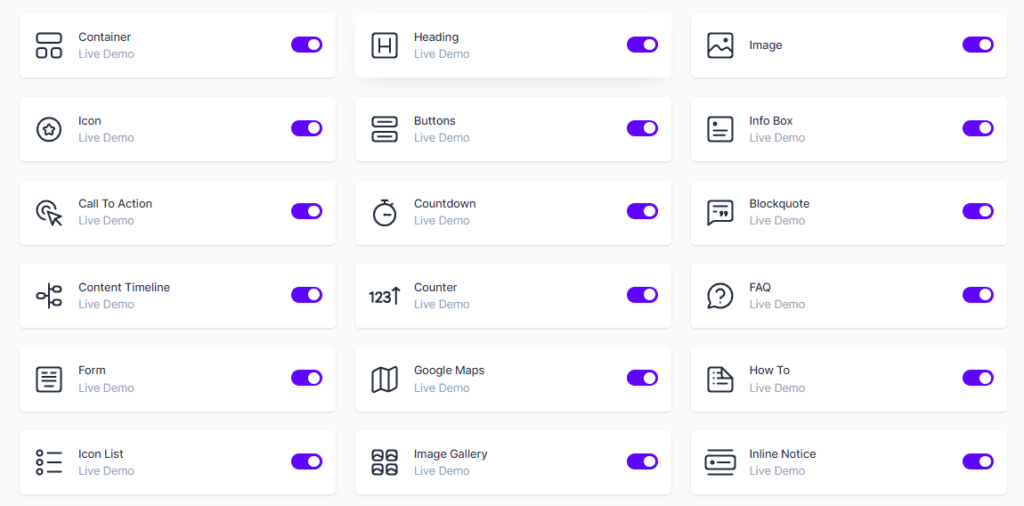
Here are all the free features of the Spectra page builder plugin.
Container Block
The Container feature of Spectra is specially built to mix many blocks inside a single-row layout.
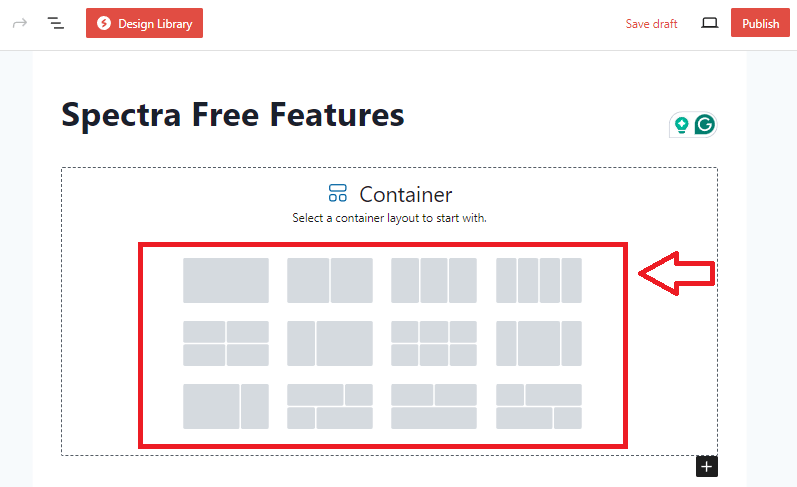
This helps you get maximum flexibility in container layout and size options.
Heading Block
Spectra Heading block gives you attractive and eye-catching heading options with a wide range of fonts, colors, and styles.
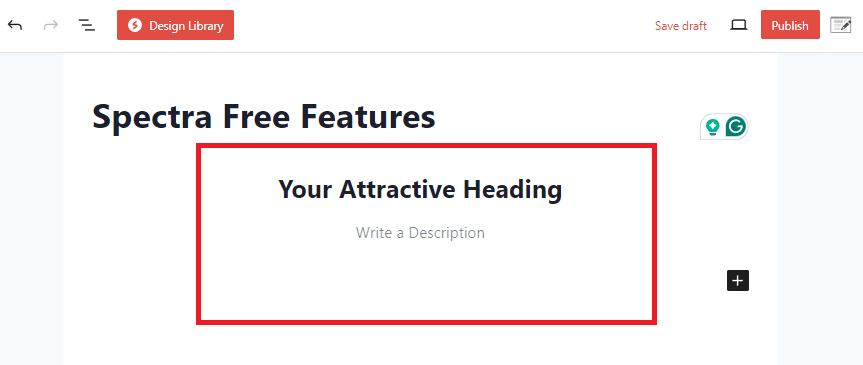
Spectra’s dynamic effects also help you use gradients, text shadows, animations, and custom fonts to create unique and engaging headings.
Image Block
With a wide range of customization options, Spectra’s Image block can make your images look attractive and responsive.
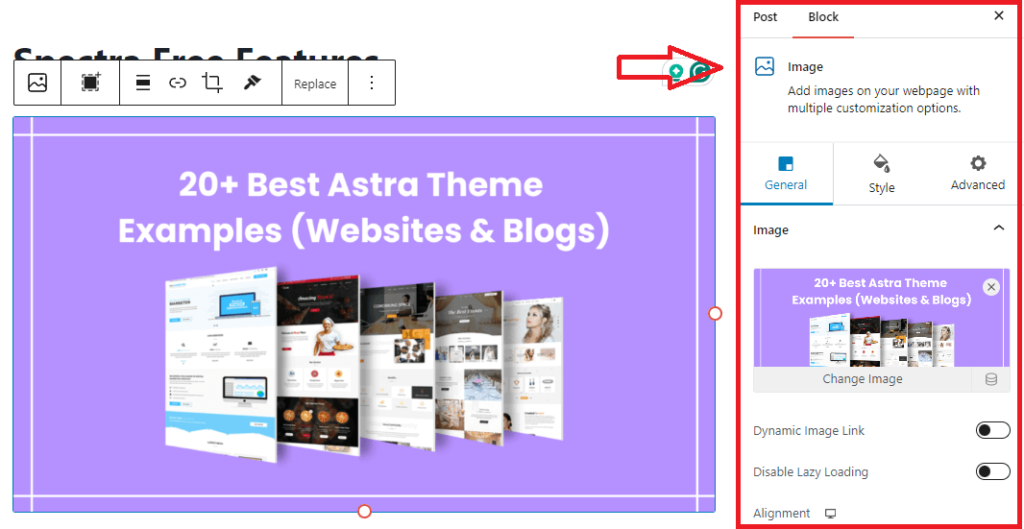
Control over everything in your images with the General, Style, and Advanced Tab.
Icon Block
With thousands of high-quality icons from the icon library, you can represent each item in your list with more customizable options.
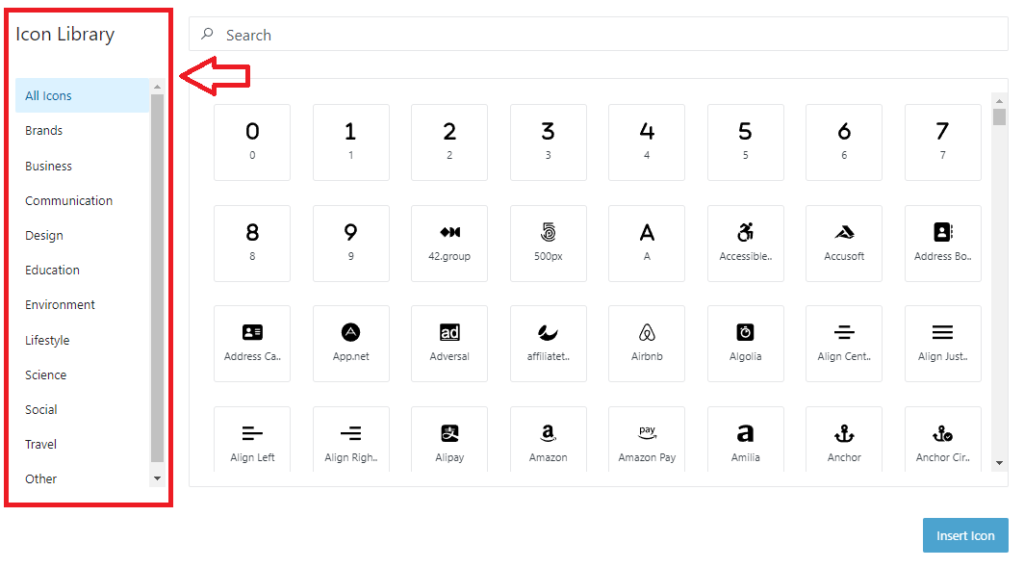
The icon library includes everything you want to show in your list of icons. You can even control your icon’s size, color, and spacing.
Buttons Block
Customize a single button or add multiple buttons in a single block with ease using Spectra’s buttons block.
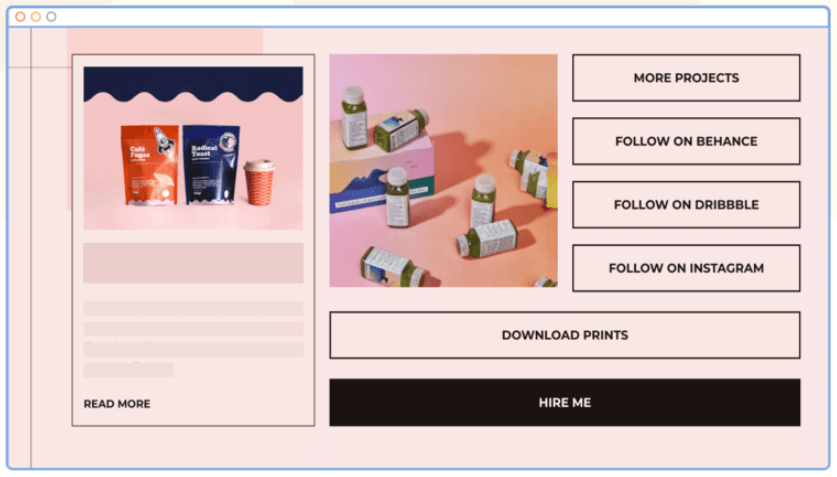
These buttons help you to get more conversions & engagements.
Info Block
Spectra’s Info Box is a flexible block for creatively presenting a box with content (media, text, and buttons).
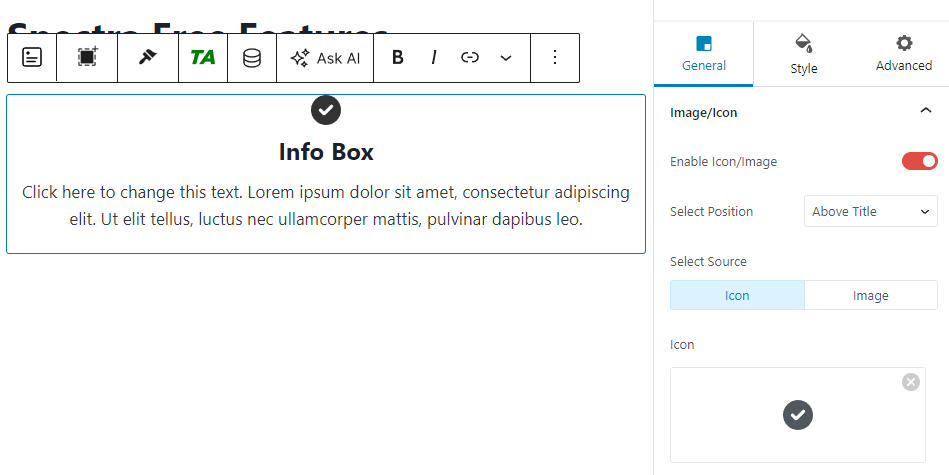
Choose from various pre-designed presets or create your own custom look to match your website branding.
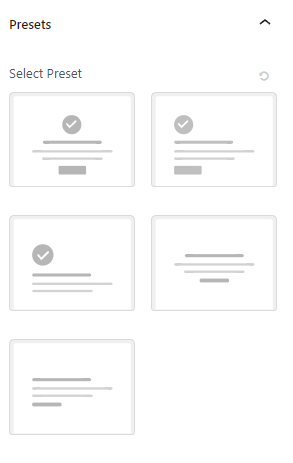
To drive engagement, you can add visually stunning and impactful calls to action within your info boxes.
Call To Action
The call to action box helps you to capture attention, communicate your message effectively, and drive desired actions.
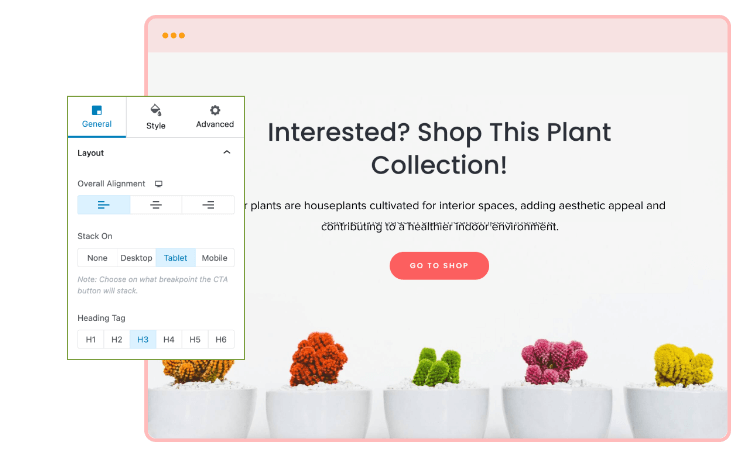
Your CTAs will be responsive, and you can even control spacing, typography, and color.
Testimonials
The testimonials feature is the most important if you want to gain your users’ trust. With Spectra, you can create custom testimonial blocks and boost your website’s credibility.
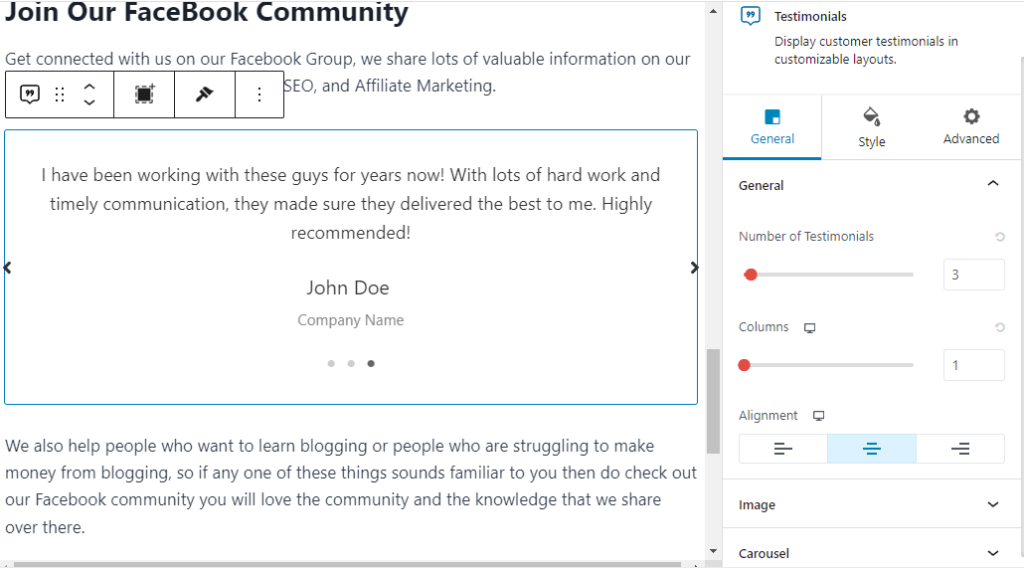
The Testimonial block of the Spectra plugin lets you display a lot of testimonials in a lovely slider.
Moreover, you can select the image you may want to display and style the whole testimonial block.
Content Timeline Block
Show you content in a timeline manner, whether it is events, stories, or any chronological information.
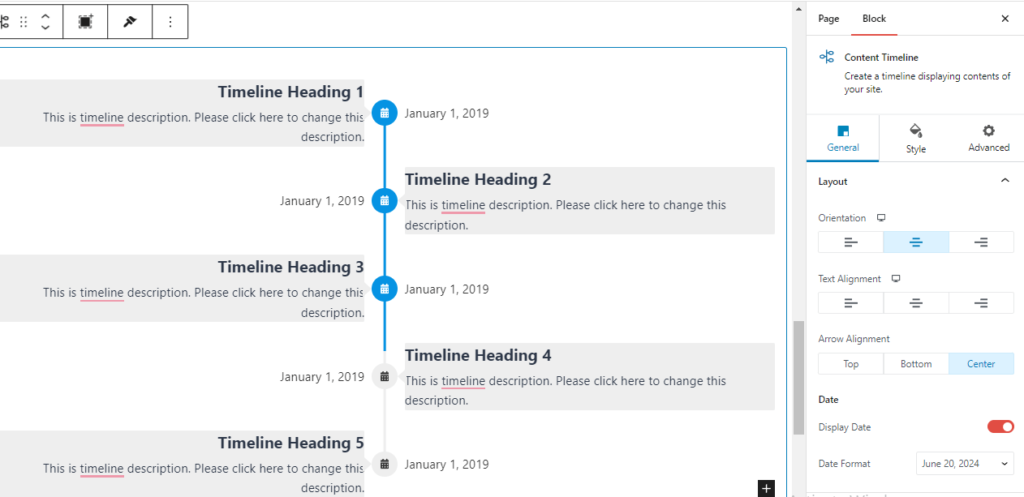
With over 1400 icons for each timeline, you can customize your timelines with custom color schemes and layout options.
Lottie Animation
The Spectra page builder plugin comes with Lottie animations that are really helpful in creating amazing effects for your website.

There are a variety of pre-built Lottie animation options to choose from. You have full control over your animations, including play on scroll, hover, or on click.
You can even control your animation speed.
These are some of the most used and best features of the Spectra free plugin. The features do not end here. The Spectra free plugin offers more features, as mentioned below:
Countdown Timer: Show a countdown timer with spectra plugin to highlight time-sensitive offers or events.
Blockquote: You can use the blockquote block to highlight key messages, testimonials, or quotes in a stylish and attention-grabbing way.
Counter: This feature helps you to show off achievements, milestones & progress. You can also present data in attractive, informative, and easy-to-understand formats.
FAQ: Add frequently asked questions to your website or blog post beautifully with built-in schema support.
Form Builder: Use Spectra’s form builder to create beautiful, powerful forms without coding and other plugins.
Google Maps: Embed Google Maps anywhere on your website using Spectra’s maps block to enhance your user experiences and provide valuable location-based information.
How to Schema: How to schema block can maximize your search engine visibility by creating a step-by-step guide.
Image Gallery: You can use photos in a beautiful gallery using this block.
Inline Notice: Attract users’ attention to important updates, announcements, or information right away to make sure your main points are understood.
Marketing Button: This block helps you to get more leads with attractive visuals that encourage visitors to take action.
Modal Block: The modal block displays important information or call to action in a standout manner, driving user engagement.
Post Carousel: Make interactive timelines that are visually appealing and interactively present the creation of stories events, or any other chronological information.
Post Grid: You may show your content anywhere on your website in aesthetically beautiful grid layouts with the Spectra post grid block.
Price List: Make comprehensive and visually appealing pricing lists that highlight your products and encourage visitors to become paying clients.
Review: With the help of the Review Schema Block, you can write engaging review sections that both educate your audience and improve the visibility of your website.
Separator: Create customizable horizontal lines to visually divide the various portions of the content.
Social Share: By adding social media share buttons to your sites, the Spectra Social Share block makes it simple for visitors to share your content.
Star Ratings: Boost user confidence, increase interaction, and show real customer reviews.
Table of Contents: Create a good-looking and SEO-friendly table of contents with the Spectra free plugin using lots of customization options.
Tabs: Spectra Tab Block is an easy-to-use method for presenting a lot of information in a simplified and eye-catching fashion.
Taxonomy List: The Taxonomy List block allows the creation and layout of content on a page in a variety of categories.
Team: Present your team members with individualized biographies that showcase their abilities as well as their personalities.
Advanced Columns: Advanced columns are an excellent technique for organizing data into separate manageable sections.
Advanced Row: Advanced rows are also an excellent technique for organizing data into separate manageable sections.
Post Masonry: There are choices in this block for presenting CPTs in a masonry structure. It lets you select any of your CPTs or any of the many other post kinds, including pages, media, posts, and posts.
Search: This block allows you to include a WordPress search field on any page or post of your website.
Animations: Any block in Spectra’s editor may be animated using a wide range of animations from its library.
Display Conditions: The options for hiding the block depending on the User Role, Operating System, Browser, and State are known as the Spectra Display conditions.
Masonry Gallery: This Block helps you create your images or photos in a masonry gallery that looks more attractive.
Responsive Conditions: Another feature that Spectra Blocks provides is a responsive condition option, which lets you customize how your website appears on various screens, including PC, tablet, and mobile.
Spectra Pro Features
Spectra Pro comes with some amazing premium features and more customization options for some free features.
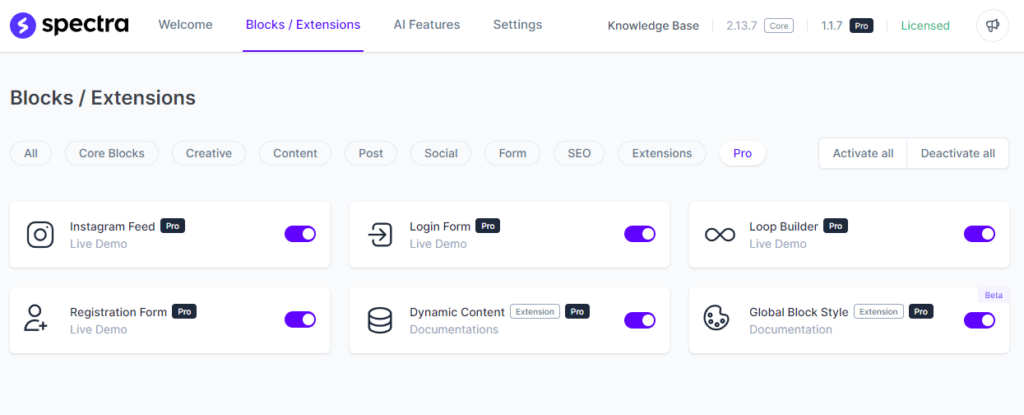
The premium plugin is the best alternative to the Elementor page builder plugin.
It is an addition of more than 80 blocks which you already have in the default WordPress block editor.
Here are some key features of the Spectra Pro plugin:
Popup Builder
Spectra’s popup builder is one of the best features I’ve used in the Spectra Pro page builder plugin.
Below is an example of a Spectra popup builder created by me:

You will get limited features in the free version but if you want to increase sales and conversions, Spectra Pro is worth buying.
You can control everything of your popups including where you want to show your popups as well as how many times does popup will appear on a post/page.
There are lots of more customizable pop-up settings you surely have to look at.
Instagram Feed
Spectra Pro offers an Instagram Feed block where you can integrate Instagram photos and videos into your WordPress website.

All you have to do is link your Instagram account in the settings tab of Spectra and show your Instagram feed to any page or post.
You can customize your Instagram feed on your website including how many photos you want to show in how many rows and columns.
Login Form
Login forms are useful for everyone who wants to restrict access to certain content on any website unless users log in.

It will create a login panel for certain users to control or access any part of your website.
Let’s say you have created a course that you want to show specific users. The login form helps you create a login page to access the content.
Loop Builder
This powerful tool of Spectra Pro allows you to construct and arrange compelling content loops easily.
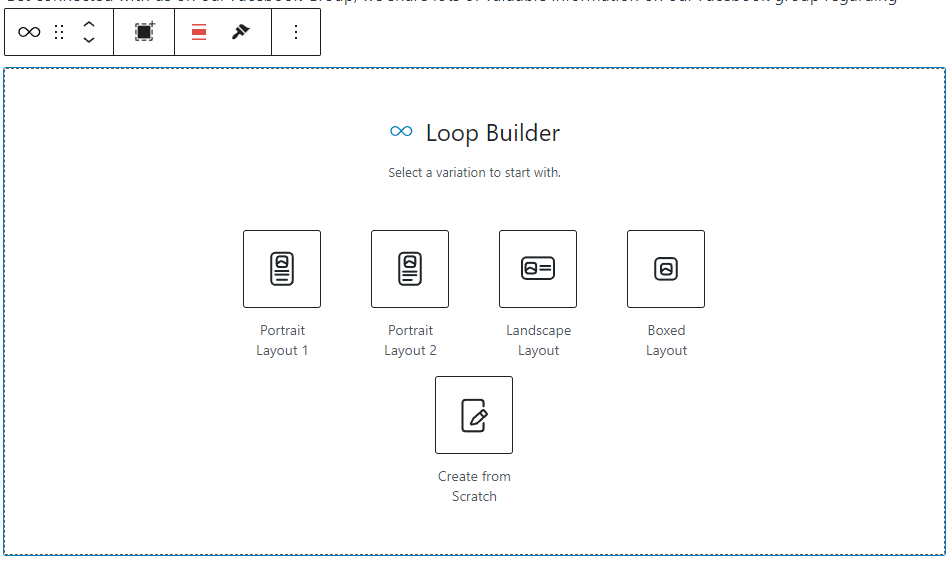
It’s an excellent tool for content-heavy websites like newspapers, blogs, and magazines!
Registration Form
Spectra Pro comes with a registration form builder that can remove one more plugin from your website and create registration forms with customizable fields.

With Spectra, you can enable Google reCAPTCHA and HoneyPot to fight spam and avoid unauthorized users.
It gives you the resources you need to gain a deeper understanding of your audience.
Dynamic Content & Global Block Style
With the help of dynamic content, you can easily build dynamic and personalized experiences for your users, taking website customization to a whole new level.
Spectra’s Global Block Style features enable the development and control of identical styles for your blocks across every part of your website.
Template Library
Spectra comes with a stunning library of page templates and block patterns. It offers ready-to-use templates, pages, and wireframes.
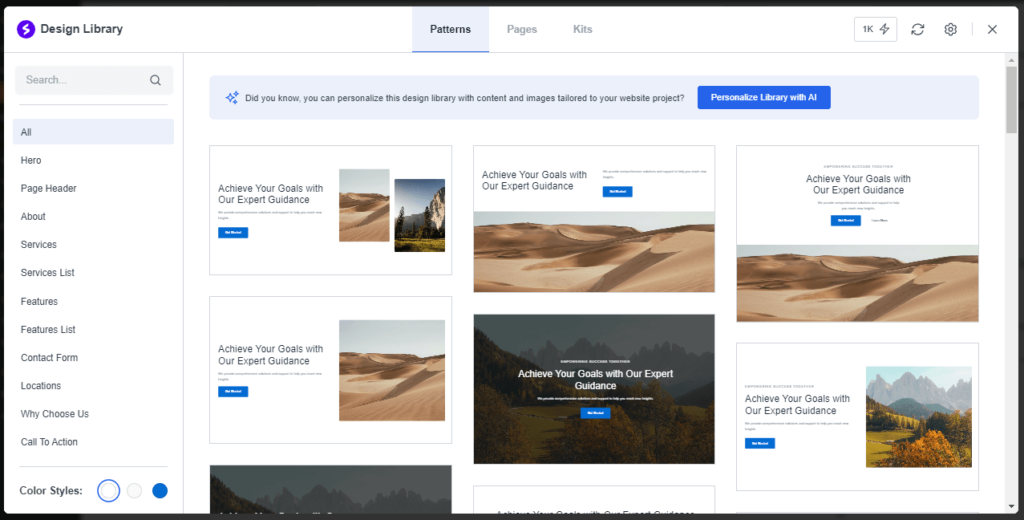
After enabling it from the settings tab, you can access and import page templates, patterns, and wireframes for different needs.
Some of them are free and some are premium templates that only work with the Astra WordPress theme.
Make sure you are using the Astra theme before using premium templates.
Also Read: Rank Math Free vs Pro: How To Choose The Best Version?
Spectra Page Builder Pricing
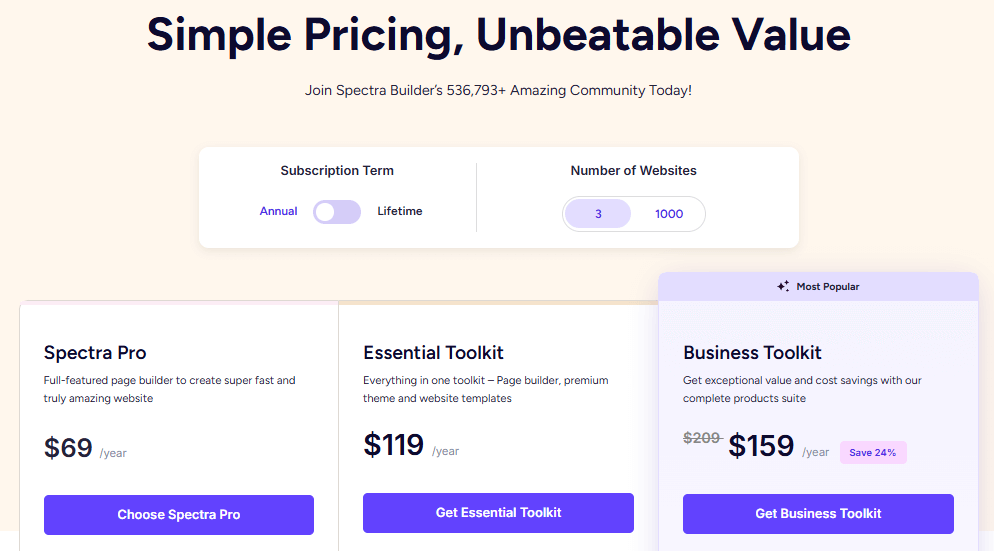
Previously, Spectra was a free page builder plugin for WordPress and wasn’t offered any plans.
And later they introduced three pricing plans to access Spectra Pro with premium features. Below are the three ways to access the Spectra Pro plugin:
Spectra Pro
The basic plan of the Spectra plugin costs you $69 for 3 websites and $89 for 1000 websites with one year of updates & support.
This plan includes all the premium features of the Spectra Pro plugin including premium templates.
Spectra Essential Toolkit
This plan is best if you want Astra Pro theme and Spectra Pro to create a professional-looking website.
The Essential Toolkit plan costs you $119 for 3 websites and $199 for 1000 websites.
You will get Astra Pro, Spectra Pro, and premium starter templates for one year of support & updates.
Spectra Business Toolkit
The Business Toolkit plan is the most premium plan of Spectra Pro and it costs you $159 for 3 websites & $219 for 1000 websites.
With this plan, you will get all features of Essential Toolkit as well as a bonus worth $200 that includes SureTriggers Pro (6 Months), CartFlows Starter (6 Months), ZipWP Pro (3 Months), and SkillJet Academy Membership.
You will also get SureFeedback – Standard (Annual) and SureWriter – Pro (Annual).
Spectra Lifetime Deal
There is also a lifetime deal for all three plans mentioned above. Below is the detailed table for all lifetime deals for all three plans.
| Spectra Plan | 3 Website | 1000 Website |
| Spectra Pro | $319 | $399 |
| Essential Toolkit | $599 | $899 |
| Business Toolkit | $699 | $999 |
All the Spectra pricing plans come with a 14-day risk-free money-back guarantee. You will get your 100% money back within 14 days if you don’t like the plugin.
Spectra Pros & Cons
If you are reading this line of my Spectra Review, you may interested in purchasing the Spectra Pro plugin.
But before that, you need to know the pros & cons of the plugin.
Spectra Pros
Spectra Cons
Also Read: Elementor Hello Theme vs GeneratePress- Who Wins?
Final Thoughts on Spectra Review
No doubt, Spectra page builder is the most useful plugin for website customization and web developers.
It offers everything you need to create a professional-looking website in no time with their drag & drop features.
With Spectra Pro, You can add more features to your website with pre-built templates and super fast loading speed that Google loves.
I strongly recommend the Spectra Pro plugin for website customization as I am also using Spectra Pro on one of my blogs.
Usually, it works perfectly with all types of WordPress themes, but Astra is the first choice as both come from the same company.
I also compare Spectra with other page builder plugins and I found Spectra a more beginner-friendly, SEO-friendly, and feature-rich plugin.
I hope my detailed Spectra Review helps you to decide whether Spectra Free is enough for your website or if you need to purchase the Spectra Pro plugin.
FAQs on Spectra Review
Is Spectra a Free Plugin?
Yes, Spectra is a freemium WordPress plugin which means you can use this plugin free for a lifetime period. However, you can purchase the premium plugin for more customization options.
What is the pricing of Spectra Plugin?
Spectra Pro plugin costs you $69 for a year’s license for 3 websites. There are two more plans i,e, Essential Toolkit and Business Toolkit which cost you $119 & $159 (for 3 websites) respectively.
Is Spectra better than Elementor?
Spectra offers great block-based customization and it’s a highly customizable WordPress page builder plugin but it doesn’t offer as many advanced customization options as Elementor.
Is Spectra Pro worth it?
Yes, Spectra pro really worth your money if you need a user-friendly tool for creating and customizing WordPress pages with advanced design features and flexibility.
Does Spectra Pro offer a money-back guarantee?
Spectra all plans come with a 14-day risk-free money-back guarantee. You will get your 100% money back within 14 days if you don’t like the plugin.